Same outfit. Different models. Zero reshoots.
Upload your garment once and generate the same outfit on any model from ShotRoom's curated Indian model library. Build a diverse, consistent catalog without ever booking a photographer again.
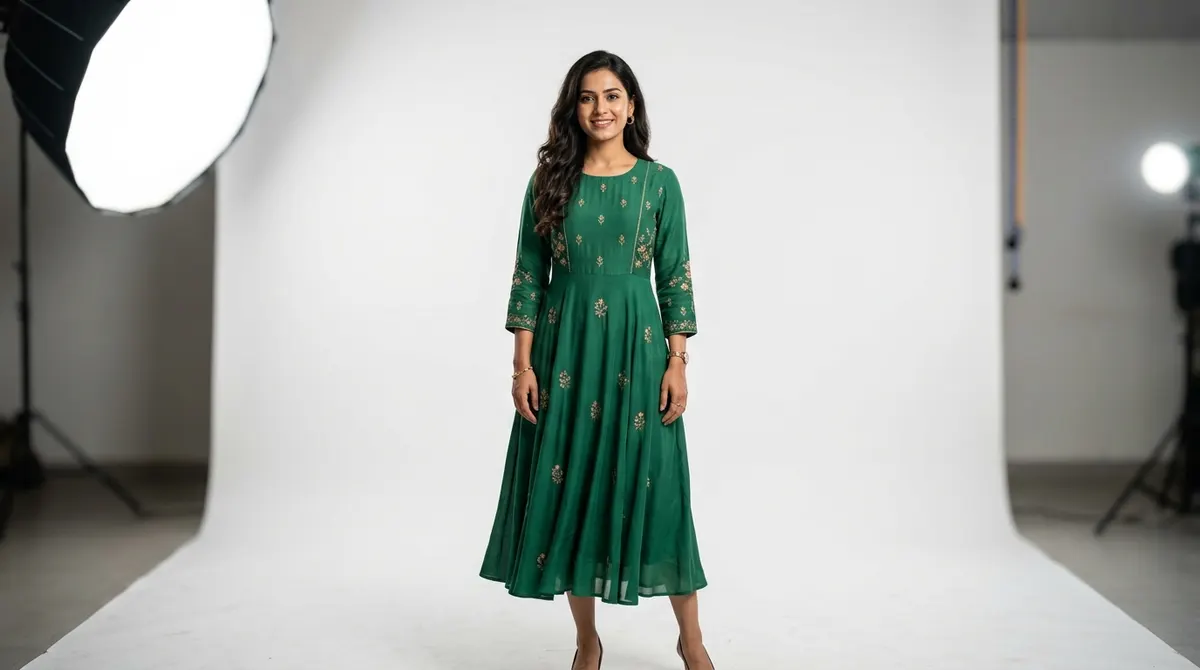
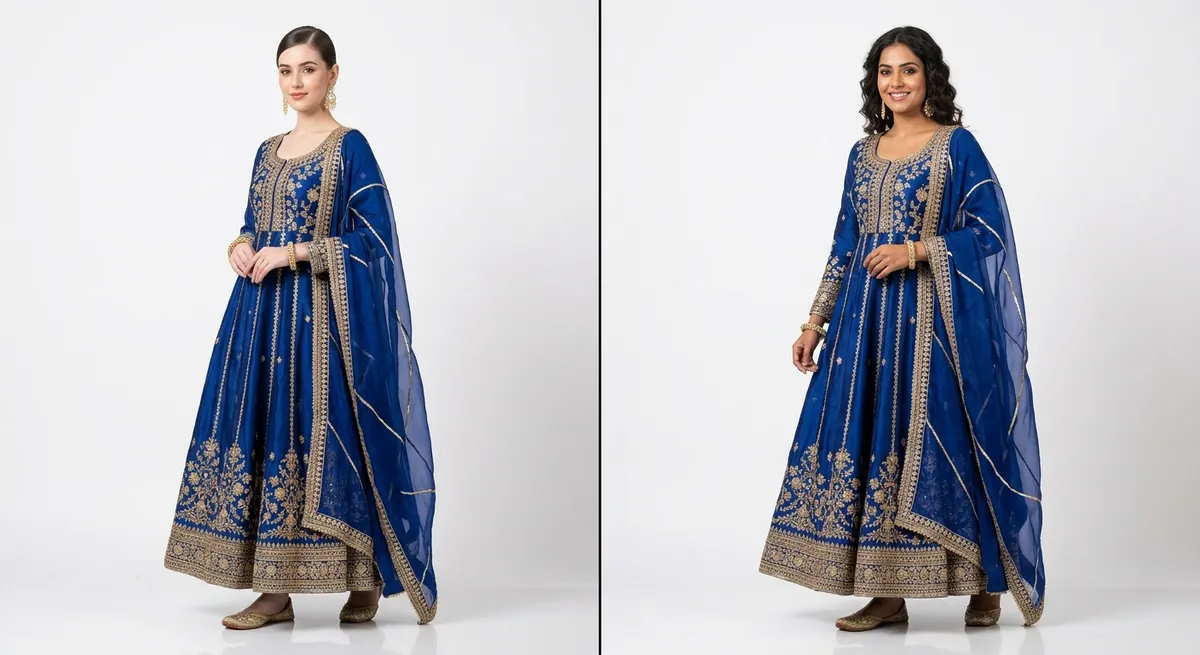
The outfit stays identical across every model swap
Identity preservation is technically hard — most AI tools lose garment detail or distort fabric when changing the model. ShotRoom labels every component of your outfit separately and tracks it through the generation independently of the model identity. The dupatta stays where it belongs. The embroidery pattern remains accurate. The silhouette holds. Only the model face and body type change — the product is pixel-faithful.
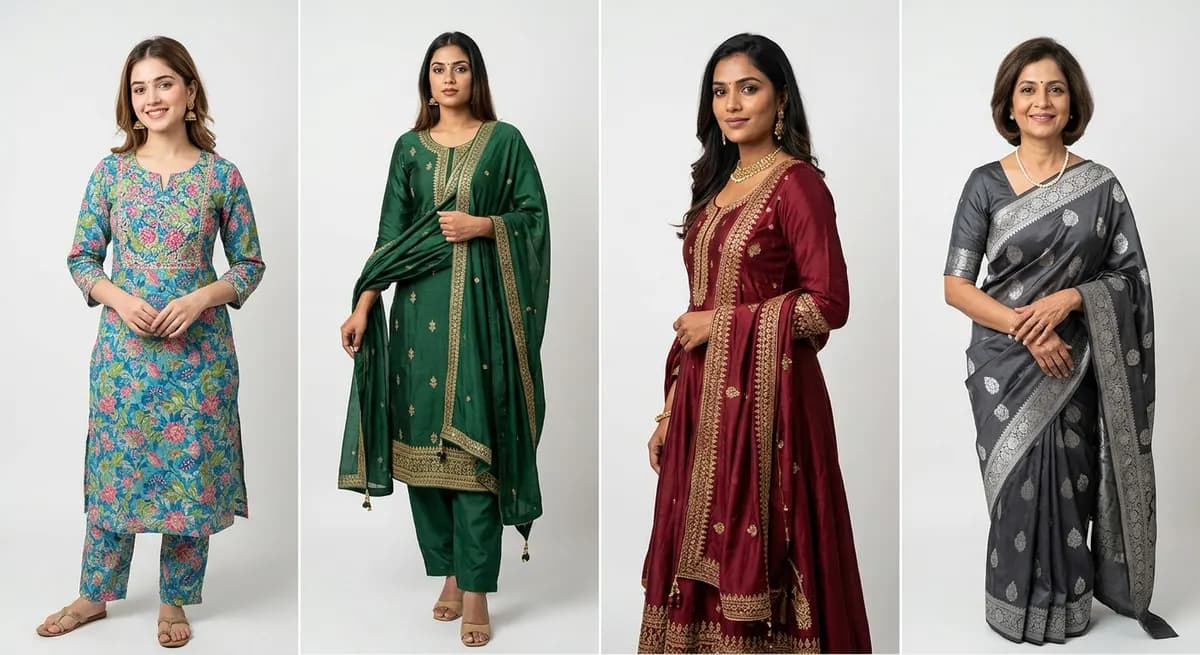
A model library built for Indian fashion, not adapted from Western datasets
Most AI image tools are trained primarily on Western faces and bodies. When they attempt South Asian representation, the results are visibly off — wrong skin tones, non-representative features, styling that doesn't read as Indian. ShotRoom's model library is built with Indian fashion in mind: South Asian skin tones from fair to deep, multiple body types, age groups from teens to mature, and styling that matches Indian fashion conventions.
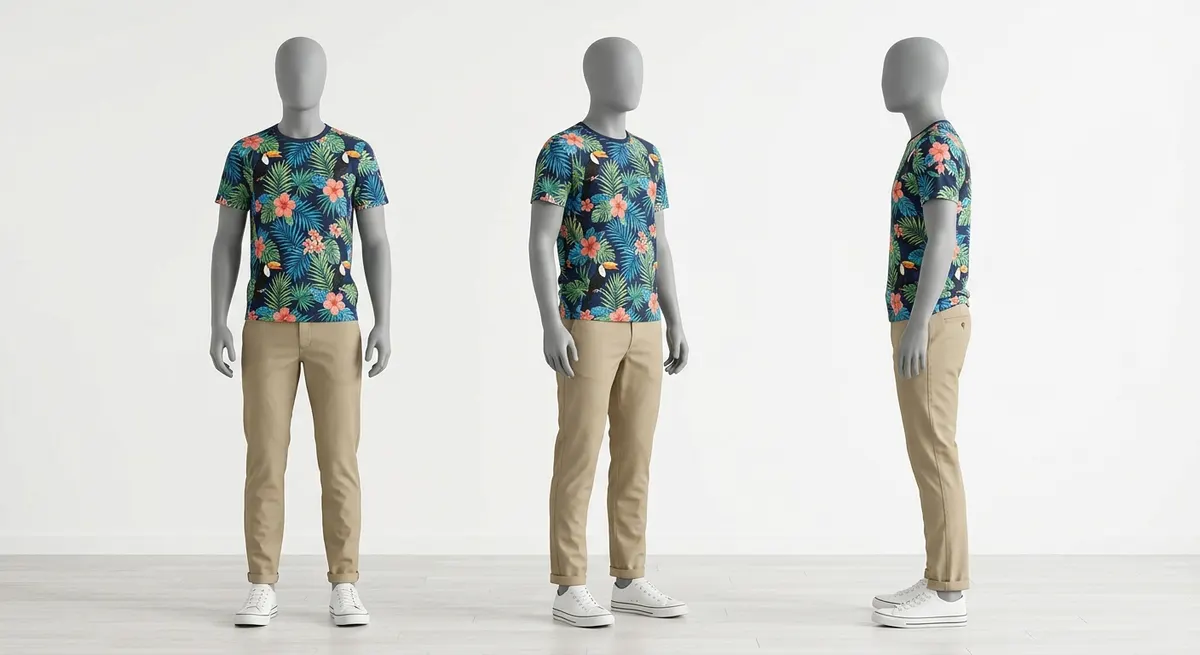
See the pose before you spend a single credit
Before generating the final on-model photos, ShotRoom renders every selected pose on a neutral clay mannequin — free, instant, no credits consumed. You can see the composition, garment coverage, and pose quality at mannequin stage. Add or remove poses, swap to different angles, reorder the shoot plan — all before committing to the generation that consumes credits. It's the AI equivalent of reviewing the shoot brief before the photographer arrives.
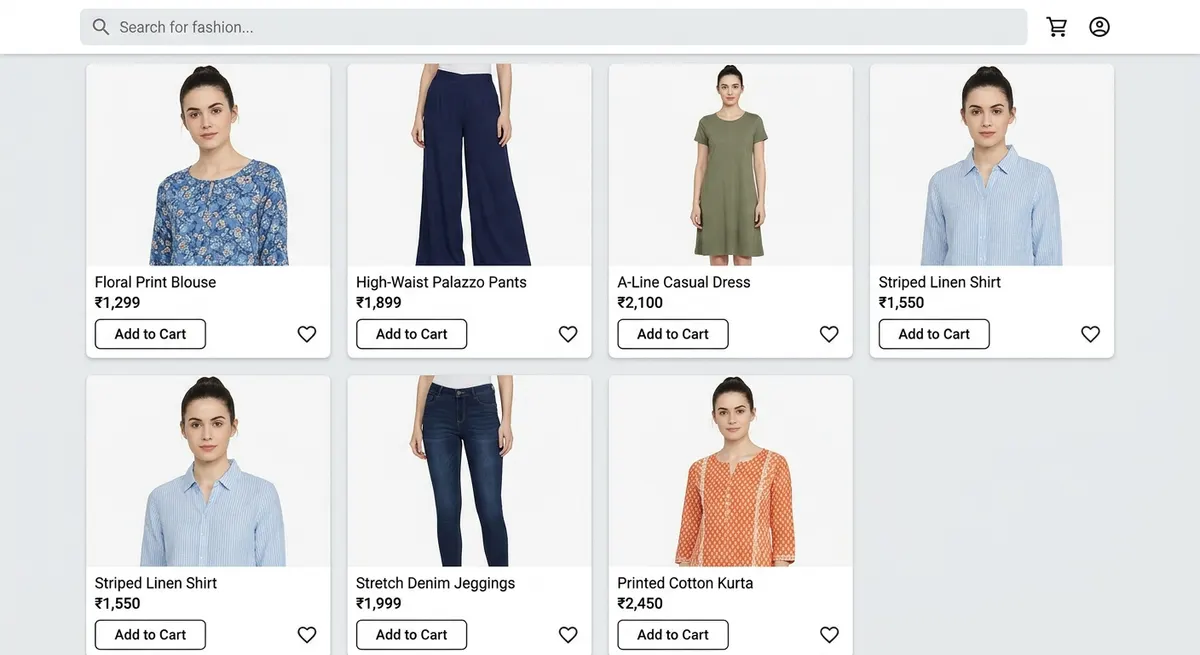 Single-model catalog
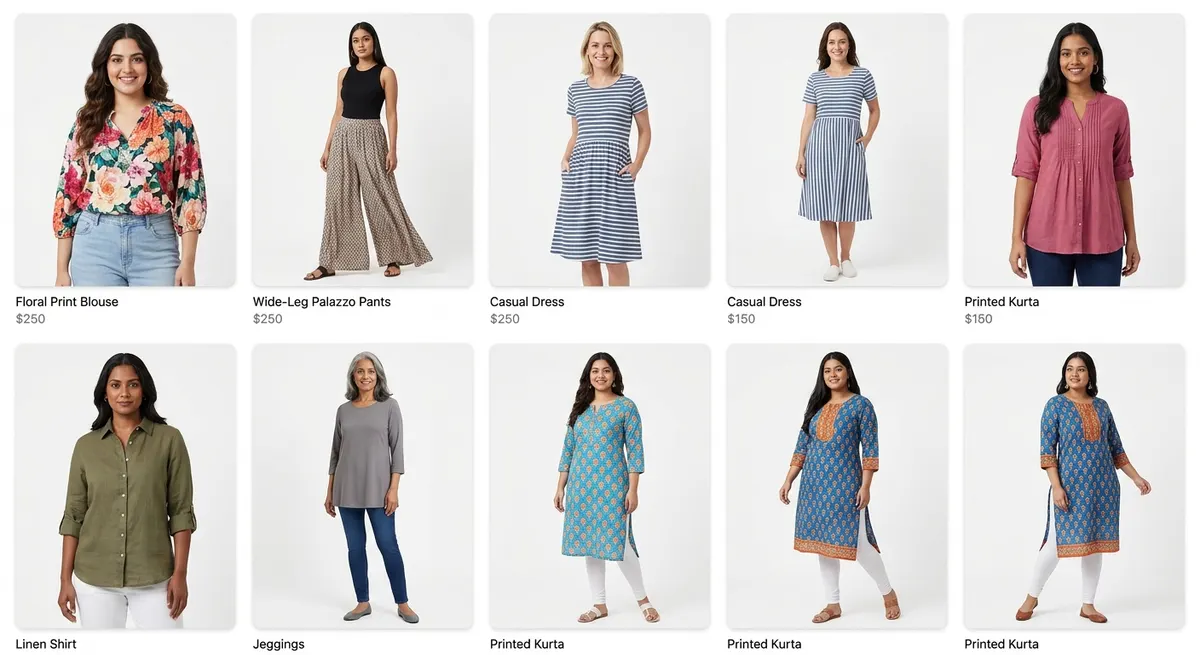 Diverse catalog with ShotRoom
The same catalog. Different models applied. No reshoots. Broader customer appeal.
How model swap works
Upload your outfit or garment
Upload a flat-lay, existing product photo, or any image of the garment you want to reshoot with a different model.
Select from the model library
Browse ShotRoom's curated model library — filter by skin tone, body type, age group, and gender. Find the model identity that fits your brand.
Preview on a clay mannequin first
Before spending credits on final generation, preview how the outfit reads across poses using a neutral clay mannequin. Adjust pose selection for free.
Generate consistent catalog images
ShotRoom generates the full photoshoot — the outfit on your chosen model, with full outfit poses, component shots, and macro details.
Catalog diversity without reshoots
Show the same outfit on multiple models to appeal to a broader customer base — without booking new shoots for each model.
No model booking, no scheduling conflicts
Generate on any model at any time. No waiting for model availability, no shoot-day cancellations, no agency fees.
Consistent brand identity across your store
Choose one model identity and apply it to your entire catalog. Every listing features the same face — the look of a premium fashion brand.
Preview before you commit
Clay mannequin previews let you check every pose before the final generation. Free and instant — no credit consumption at the preview stage.
A/B test model fit for your audience
Generate the same garment on different models and split-test which converts better for your specific customer segment.
Indian skin tones represented accurately
ShotRoom's model library is built for Indian fashion. South Asian skin tones, body types, and styling are represented faithfully — not approximated from Western training data.
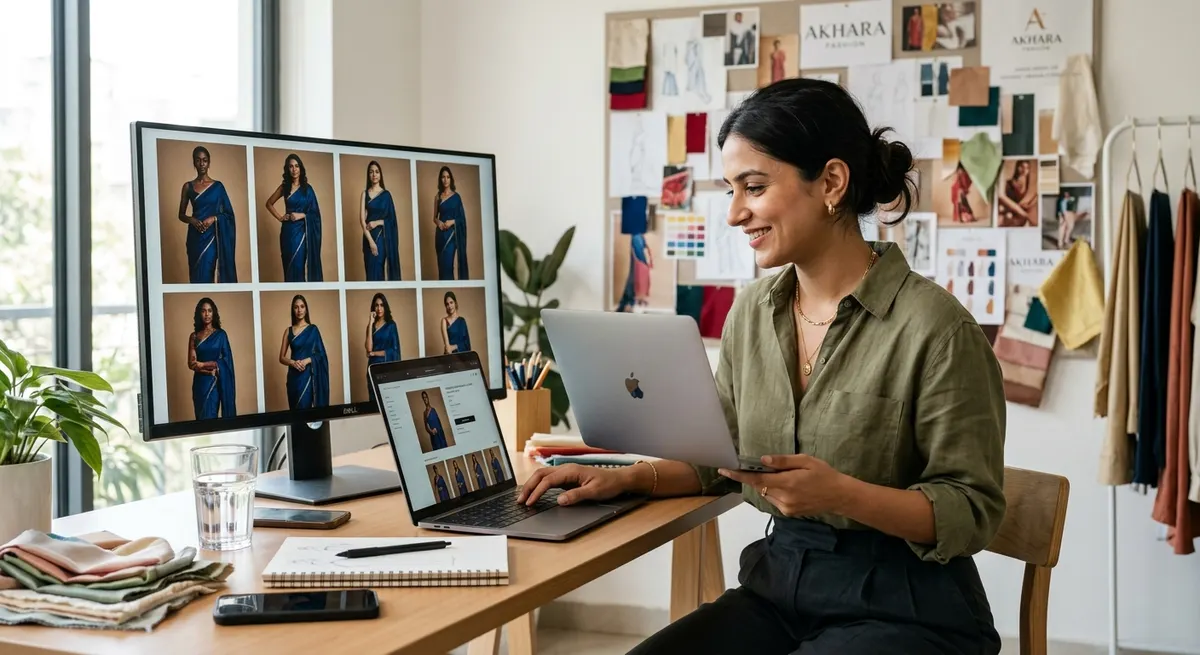
Use the same model across your entire catalog
Model swap is powerful for catalog diversity. But if you want the opposite — one consistent model face across your entire store, creating the recognizable brand identity of a premium fashion label — ShotRoom does that too.
Choose a model identity once and apply it to every garment in your catalog. Your store gains the cohesive look of a professional fashion brand. See the consistent models feature or explore how ShotRoom converts flat-lays to on-model shots.
Try Model Swap FreeFrequently Asked Questions
Can I change the model in a product photo using AI?
Yes. ShotRoom's model swap feature lets you generate the same outfit on a different model identity — without a reshoot, without re-uploading a human reference photo, and without compromising garment fidelity. The AI maintains the garment's structure, fabric drape, and detail across model changes. You select the model from ShotRoom's library and the platform handles the rest.
Does the garment look the same when I change the model?
Yes — garment fidelity is maintained across model swaps. ShotRoom tracks the garment's fabric behavior, silhouette, and component structure independently of the model identity. When you swap the model, the outfit remains accurate to your original product. The embroidery, the drape, the color — all preserved. What changes is the model identity, not the product representation.
How diverse is the model library — does it include Indian skin tones and body types?
ShotRoom's model library is built specifically for Indian fashion brands. It includes a range of South Asian skin tones (from fair to deep), body types (petite, standard, plus), age groups (teen to mature), and regional styling conventions. Most generic AI tools use Western-trained base models that misrepresent Indian skin tones. ShotRoom's library is curated for the Indian market and regularly expanded.
Can I use the same model across my entire catalog for brand consistency?
Absolutely — this is one of the primary use cases. Once you select a model identity, you can apply it across unlimited garments in your catalog. Every image in your store will feature the same model face, body type, and styling — creating the kind of consistent brand identity that customers associate with premium fashion brands. See more on the consistent models page.
What does "preview on a clay mannequin" mean?
Before ShotRoom generates the final high-quality on-model photos — which consume credits — it first renders the garment on a neutral clay mannequin for all selected poses. This mannequin preview is free and lets you see the pose composition, garment coverage, and overall shot quality before committing to the full generation. You can add, remove, or change poses at no cost at this stage.
Can I A/B test the same outfit on different models?
Yes. This is a powerful catalog strategy for brands targeting multiple customer segments. Upload the garment once, generate shots with Model A, then generate the same session with Model B. Compare conversion rates across your A/B product listings. ShotRoom's session-based workflow means you don't re-upload or redo the AI analysis — just choose a different model and regenerate.
How does model swap compare to hiring a model for a day?
A model for a half-day shoot in a metro city costs ₹8,000–₹25,000 plus studio fees, stylist, and photographer. For 10 outfits that is ₹800–₹2,500 per garment — and you still only get one model's face. With ShotRoom, you generate 12–15 images per garment at a fraction of the cost, on any model from the library, at any time, from any device. And you can reshoot instantly if the output needs adjustment.
Do I need to upload a photo of the model I want to use?
No. ShotRoom maintains a curated model library with consistent identities you can select from. You do not need to provide a reference photo of a real person. The AI generates a consistent model face and body across all images within a session — the identity is maintained by the system, not by your input. You simply select from the available library options.
Build a diverse catalog — no reshoots required
Try model swap on your first garment. 20 free credits on every new account — no card required.